KittyKim Desktop Pet [Disco Elysium fan game]
A downloadable game
KittyKim Desktop Pet v1.2
A fan-made interactive desktop companion for Disco Elysium.
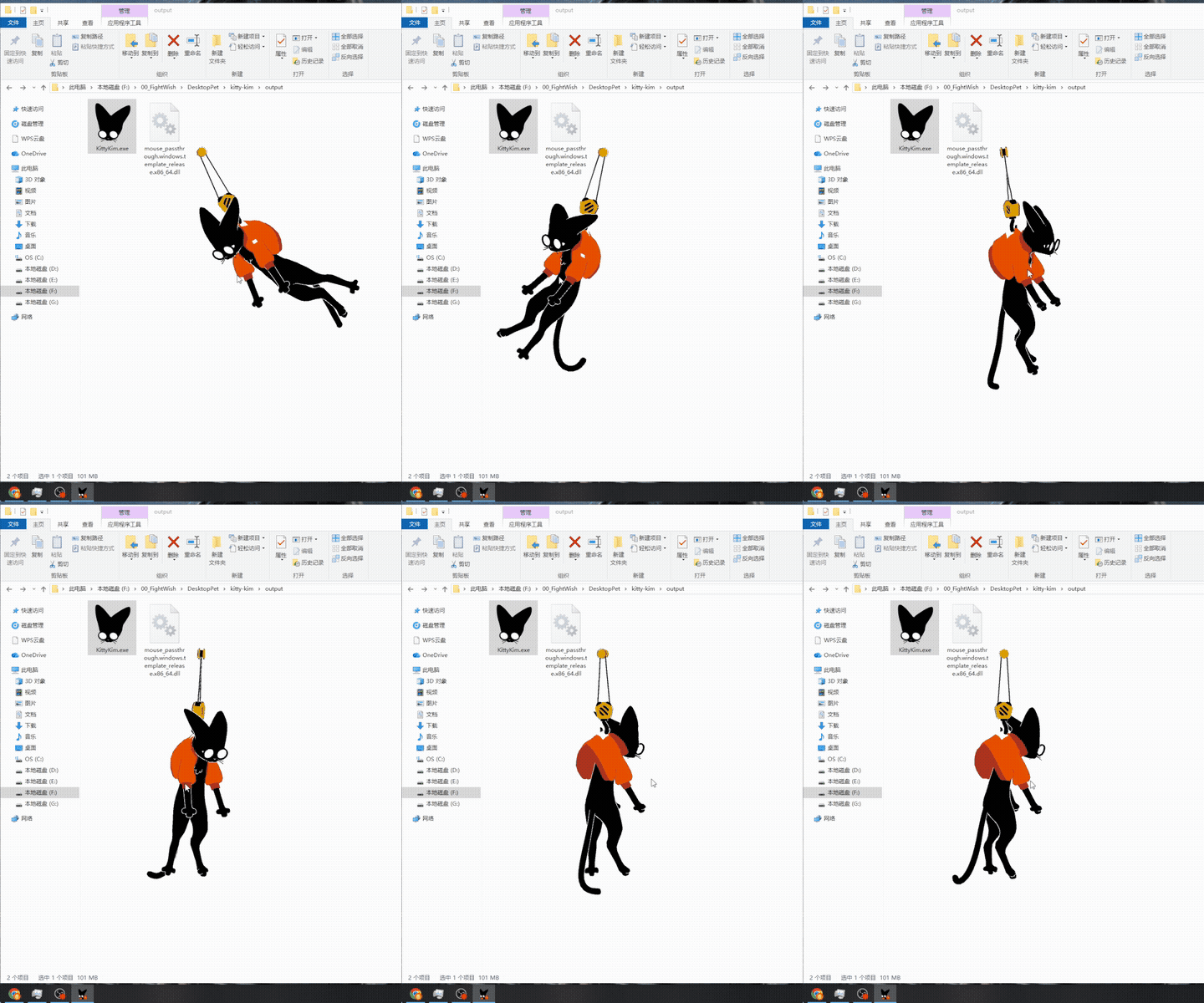
Hang a grumpy, swinging detective cat right on your Windows desktop! Fully interactive with 3D physics, facial expressions, and customizable views.
---
[Features & Controls]
Drag & Move: Hold LMB on the Yellow Ring at the top to move the window freely.
Physics Swing: Hold LMB and drag across the chest/belly to push and swing.
Pet Head: Stroke mouse across face and head to pet.
Quick Interactions:
- Click Ears to twitch.
- Click Glasses to take off / put on glasses.
- Click Mouth for grumpy pout expressions.
- Click Belly to toggle sitting / hanging poses.
- Click Tail to swish.
Camera & Menu:
- Hold RMB and drag to rotate 3D camera 360°.
- Click RMB for context menu (Scale: 50% / 75% / 100%, About, Exit).
---
[Important Notice]
Please keep all extracted files in the same folder.
DO NOT delete or move `mouse_passthrough.windows.template_release.x86_64.dll`!
It is required for the pet to launch and allow mouse click-through behavior.
---
[Disclaimer & Credits]
Created purely out of love for *Disco Elysium*. For personal entertainment and fan community sharing only. Non-commercial use.
Creator / Commissions: fightwish@foxmail.com | QQ: 3142940898
Socials:
X (Twitter) [@Mimoku_T](https://twitter.com/Mimoku_T)
RED: Mimoku_T(战斗愿望)
[Bilibili](https://space.bilibili.com/11500089)
Watch showcase video on Bilibili & X!
Copyright © 2026 FightWish. All rights reserved.
Download
Comments
Log in with itch.io to leave a comment.
v1.2 Update
Fixed a mouse-hover flickering issue on some devices.
No feature changes included. If your current version works fine, you can skip this download.
[Known Issue: Bottom half of the cat is cut off]
This is not a bug within the game itself.
First, please make sure that
mouse_passthrough.windows.template_release.x86_64.dllandKittyKim.exeare located in the exact same folder.If the issue persists, please update your graphics driver to the latest version via your PC manufacturer's official website, Intel Driver & Support Assistant, or your GPU control panel, then restart your computer to resolve the issue.